PayPal to Xero Integration, Done Properly
PayPal is one of the most common payment processors and one of the most frustrating to reconcile in Xero. A clean PayPal to Xero integration has to separate fees deducted before payout, handle multi-currency transactions, and tie refunds back to the original sales. EntryRocket reads your PayPal export and lands it in Xero correctly, every time.
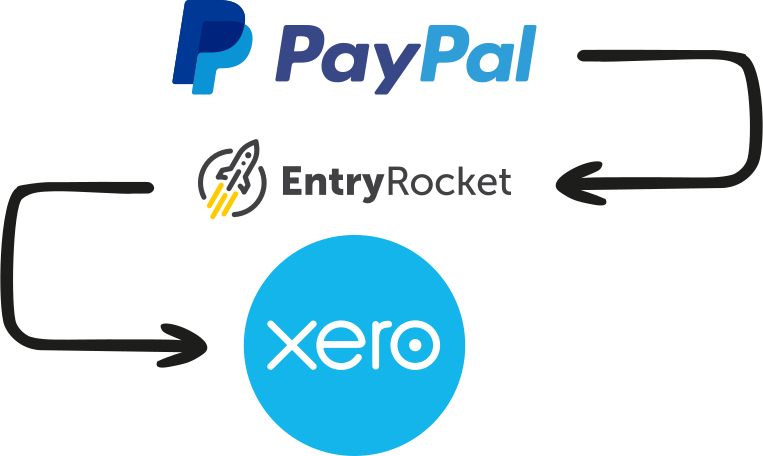






PayPal's complexity quickly outpaces what a basic Xero feed can handle
PayPal and Xero have a native connection. For simple, low-volume businesses receiving payments in one currency, it works reasonably well. But the issues most businesses run into go beyond what the basic feed handles.
Fees deducted before payout
PayPal deposits your net amount, not the gross transaction value. Your bank deposit doesn't match your gross revenue, requiring manual intervention every time.
Multi-currency creates gaps
PayPal converts at its own rates, deducts fees, and deposits in your home currency. Tracking the full picture accurately is difficult with a basic feed.
Raw transaction lines at high volume
Every individual transaction appears in Xero separately, creating data bloat that slows reconciliation at scale.
Refunds and disputes need special handling
A refund needs to match back to the original invoice. Disputes and holds affect cash flow but don't always appear cleanly in the basic feed.
What's in a PayPal transaction export
Your reader maps each transaction type to the right place in Xero.
Everything from PayPal into Xero
Every reader is built around your exact PayPal export format and your Xero setup. Depending on your workflow, EntryRocket can process:
Payments received
Matched to corresponding Xero invoices or created as receive-money transactions.
PayPal fees
Separated from revenue and posted to the correct expense account in Xero, not buried in your revenue figures.
Refunds & credit notes
Matched to the original invoice in Xero automatically.
Currency conversions
Transactions recorded in original currency with PayPal's conversion handled correctly in Xero.
Bank transactions
Your reader can create individual invoices per transaction matched to a batch deposit, or a single summary invoice per payout period with fees as negative lines. Either way, your bank feed reconciles cleanly.
Disputes & chargebacks
Recorded correctly as adjustments, including associated fees.
Import PayPal transactions into Xero in five simple steps
The whole process takes less than a minute. You don't need to log into anything.
Export your PayPal transactions
Go to PayPal → Activity → Statements or Transaction history and download as CSV. Select your date range. Monthly works well for most businesses. Send the file exactly as PayPal produces it.
Email the file to EntryRocket
Send it to your dedicated @entryrocket.com address. No login required. Just attach and send.
Your custom reader processes it
EntryRocket parses every transaction type (payments, fees, refunds, currency conversions, holds) and creates the right document types in Xero, mapped to your accounts.
Your data appears in Xero
Payments, fees, refunds, and bank transactions correctly structured and ready to reconcile.
You get a confirmation email
A summary of what was imported, what Xero returned, and anything that needs a second look.
What about the native feed, A2X, and Synder?
There are several ways to get PayPal into Xero. Here's how they differ.
Native PayPal-Xero feed
Works for low-volume, single-currency businesses
Limited categorization, no fee separation logic
Multi-currency and high-volume scenarios require manual work
A2X / Synder
Strong tools: fees, currency, refunds all handled well
Ongoing subscription for a continuous live sync
Best for businesses needing real-time sync, not periodic imports
EntryRocket
Works from your exported statement. You control when and what goes into Xero
Fees, currency, refunds, disputes, all handled correctly
Best for periodic (monthly/weekly) reconciliation workflows
Common PayPal scenarios we handle
Monthly PayPal reconciliation
Export the previous month's transactions. Email the file, and everything appears in Xero correctly categorized before you close the month.
Multi-currency PayPal accounts
Payments in USD, EUR, GBP, AUD, each transaction recorded in its original currency with PayPal's conversion handled correctly.
PayPal as a secondary gateway
If PayPal sits alongside Stripe or other processors, your reader handles PayPal transactions separately, mapped to your PayPal holding account in Xero.
Historical backfill
Need PayPal history in Xero for a prior period? Export by month. Email each file, done. No volume limit.
Why businesses choose EntryRocket
Fees correct
Every time
PayPal fees are separated from revenue and posted to the right expense account. No manual adjustments needed.
Multi
Currency support
Transactions in any currency are recorded correctly, with conversion handled in line with your Xero settings.
You
Stay in control
No background sync running. Import when you want, review what you're sending. Email the file.
Xero-certified
Official Xero App Partner. Our integration has been reviewed and approved by Xero's own team.
Raw exports accepted
Send the file PayPal produces. No column mapping. No reformatting required.
Engineers on support
You hear back from the people who build and run EntryRocket. Not a chatbot or ticket queue.
Loved by businesses worldwide
"The EntryRocket team works tirelessly with you till your data looks like you want it to look. Hours of manual work on a weekly basis is done in seconds!!"
"The process was manual and very time consuming averaging about 10-12 man hours to get the job done. ... The whole process now takes us less than 10 minutes."
Frequently asked questions
About importing PayPal transactions into Xero with EntryRocket.
View all FAQs →Does EntryRocket connect directly to PayPal?
No. EntryRocket works from your exported PayPal statement. You download the CSV from PayPal and email it. This gives you full control over when and what gets imported.
Can it handle PayPal fees correctly in Xero?
Yes. PayPal fees are identified in the export and posted as a separate expense line to the account you specify. They're not buried inside your revenue figures.
What about PayPal transactions in multiple currencies?
Yes. Each transaction is recorded in its original currency and converted according to your Xero multi-currency settings.
Can it import historical PayPal data?
Yes. Export by month. Email each file. No volume limit.
How long does setup take?
Most readers are ready within 2-3 business days.
What does it cost?
See our pricing page for current plans. All plans include a 30-day money-back guarantee.
We also integrate with Xero
Import from any platform, any file format. We build a custom reader for your exact setup.
Start importing PayPal transactions into Xero automatically
Send us your PayPal transactions and we'll show you exactly how it would work for your store. No commitment needed.