Stripe to Xero Integration, Beyond the Native Connection
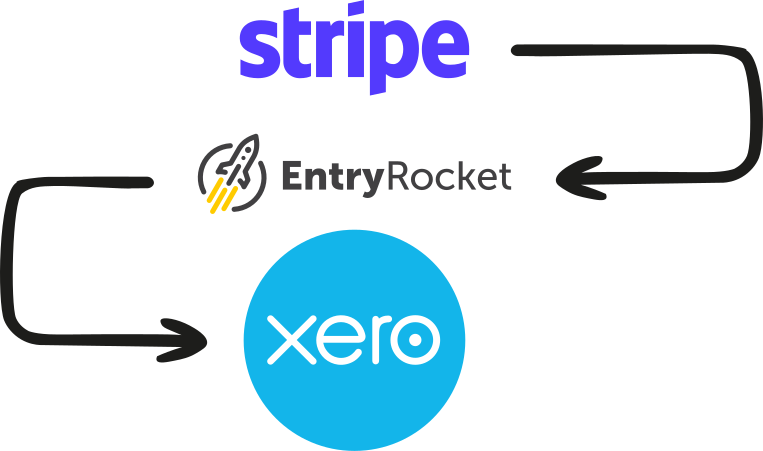
Stripe's native Xero integration handles simple flows. When your Stripe to Xero integration needs to separate fees, split multi-currency payouts, or match grouped payouts to individual invoices, the native connection leaves work for you. EntryRocket reads your Stripe export and maps it into Xero exactly the way your bookkeeping needs it.






Stripe's native Xero connection has well-known gaps when complexity increases
Stripe does have a native Xero connection, and for many businesses with simple payment flows it works. But common complications break it.
Grouped payouts require manual matching
Stripe batches multiple charges into one bank deposit. Matching that lump sum to the individual charges it contains often needs two browser windows and manual line-by-line work.
Struggles at high volume
Businesses processing hundreds of daily transactions find the native integration slow, prone to sync delays, and creates data bloat in Xero.
Fees need manual handling
Stripe deducts fees before paying out. Mapping them correctly to an expense account requires manual setup and ongoing attention.
Multi-currency creates complexity
Charges in multiple currencies, converted at Stripe's rate, don't always flow cleanly through the basic integration.
What's in a Stripe payout export
Your reader maps every line to the right place in Xero.
Everything from Stripe into Xero
Every reader is built around your exact Stripe exported payments file and your Xero chart of accounts. Depending on your workflow, EntryRocket can process:
Payments received
Matched to existing Xero invoices or created as new receive-money transactions.
Stripe processing fees
Separated from revenue and posted to the correct expense account in Xero, automatically.
Refunds & credit notes
Matched to the original invoice in Xero automatically.
Payout summaries
Your reader can create individual invoices per payment matched to a batch deposit, or a single summary invoice per payout period with fees as negative lines. Either way, your bank feed reconciles cleanly.
Currency conversions
Multi-currency charges recorded in original currency with conversion handled correctly.
Disputes & chargebacks
Recorded as adjustments with associated fees, not left as unmatched lines.
Import Stripe payments into Xero in five simple steps
Send the file exactly as Stripe produces it. Your reader does the rest.
Export your Stripe transactions
Go to Stripe Dashboard → Payments or Payouts → Export. Select your date range and export as CSV. You can export by payout, by date range, or by transaction type. Send the file exactly as Stripe produces it.
Email the file to EntryRocket
Send it to your dedicated @entryrocket.com address. No login required. Just attach and send.
Your custom reader processes it
EntryRocket maps every charge, fee, refund, and payout (exactly how your Xero is set up). Your account codes, tax rates, and fee account mapping are all baked in.
Your data appears in Xero
Payments, fees, refunds, and payout records correctly structured. Ready to reconcile against your bank feed.
You get a confirmation email
A summary of what was imported, what Xero returned, and anything that needs attention.
What about Stripe's native integration and tools like Synder?
There are several ways to get Stripe into Xero. Here's how they compare.
Native Stripe-Xero integration
Works well for simple, low-volume, single-currency flows
Grouped payouts require manual matching in Xero
Fee mapping needs ongoing manual attention
Synder
Transaction-level sync: every charge pushed into Xero individually with full detail
Ongoing subscription for a continuous live sync
Best for businesses needing real-time sync, not periodic imports
EntryRocket
Works from your Stripe CSV. You review before importing, full control over what goes into Xero
Fees, currency, grouped payouts, all mapped correctly from the export
Best for periodic (monthly/weekly) reconciliation. No background sync to manage
Common Stripe scenarios we handle
Monthly payout reconciliation
Export the previous month's transactions. Email the file, and everything appears in Xero correctly. Fees separated, payouts matched to your bank feed.
Businesses invoicing in Xero, collecting via Stripe
Payments matched against existing Xero invoices and marked as paid, with Stripe fees recorded separately as an expense.
Multi-currency Stripe accounts
Charges in GBP, USD, EUR, AUD, each recorded in original currency with conversion handled correctly in Xero.
SaaS or subscription businesses
High volumes of recurring charges, refunds, and prorations, your reader handles the full transaction mix correctly.
Why Stripe users choose EntryRocket
Fees
Always correct
Stripe processing fees are separated from revenue and posted to the right account, automatically, every time.
No sync
To monitor
Import when you want, on your own schedule. No background sync to monitor or troubleshoot between imports.
100%
Tailored to you
Your reader is configured around your Stripe export structure and your Xero chart of accounts.
Xero-certified
Official Xero App Partner. Our integration has been reviewed and approved by Xero's own team.
Review before importing
You download the file from Stripe, which means you see what you're importing before it goes into Xero.
Engineers on support
You hear back from the people who build and run EntryRocket. Not a chatbot or ticket queue.
Loved by businesses worldwide
"The EntryRocket team works tirelessly with you till your data looks like you want it to look. Hours of manual work on a weekly basis is done in seconds!!"
"The process was manual and very time consuming averaging about 10-12 man hours to get the job done. ... The whole process now takes us less than 10 minutes."
Frequently asked questions
About importing Stripe payments into Xero with EntryRocket.
View all FAQs →Does EntryRocket connect directly to Stripe?
No. EntryRocket works from your exported Stripe CSV. You download the export from Stripe and email it. This gives you full control and lets you review before importing.
Can it handle Stripe fees correctly in Xero?
Yes. Stripe processing fees are identified in the export and posted as a separate expense line to the account you specify.
What about grouped payouts that don't match individual invoices?
Your reader handles payout-level reconciliation. Each payout becomes a single summary invoice in Xero, with fees and refunds broken out as separate lines, and its total matches the deposit in your bank feed.
Does it work for subscription businesses with recurring charges?
Yes. High volumes of recurring charges, upgrades, downgrades, and refunds are all handled by your reader.
How long does setup take?
Most readers are ready within 2-3 business days.
What does it cost?
See our pricing page for current plans. All plans include a 30-day money-back guarantee.
We also integrate with Xero
Import from any platform, any file format. We build a custom reader for your exact setup.
Start importing Stripe payments into Xero automatically
Send us your Stripe payments and we'll show you exactly how it would work for your store. No commitment needed.