WooCommerce to Xero Integration, No Plugin Required
Every WooCommerce to Xero integration plugin adds a moving part to your WordPress site: another extension to update, another point of failure during checkout. EntryRocket gives you the same outcome with none of the maintenance. Email your WooCommerce order export and your orders, payments and refunds appear in Xero automatically.
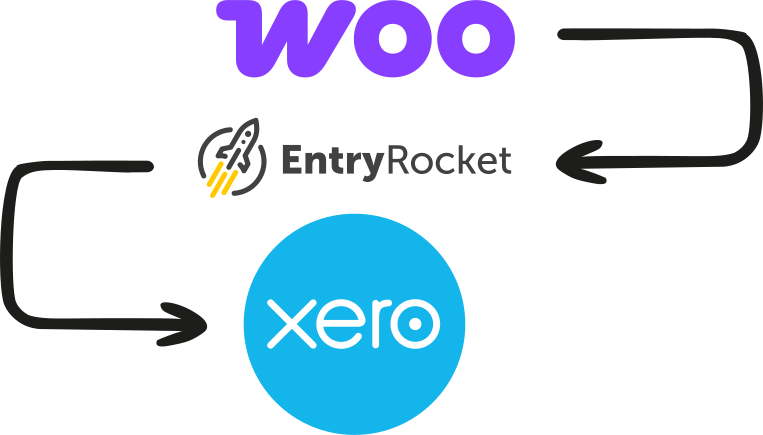






WooCommerce doesn't connect to Xero natively, and plugins add their own problems
Plugins like MyWorks sit inside your WordPress installation. That means they need to be kept updated alongside WordPress core and WooCommerce itself, they can conflict with other plugins, and when something breaks, you're troubleshooting inside your CMS.
MyWorks is a capable tool. But if your WooCommerce setup has custom order structures, non-standard product types, or bespoke checkout flows, you'll often find the plugin's mapping assumptions don't match how your store actually works.
EntryRocket operates entirely outside your WordPress stack. You export. Email the file, and it appears in Xero. No plugin. No WordPress admin access. No conflict risk.
The Plugin Approach
- ✕ Plugin installed in WordPress, another thing to update and maintain
- ✕ Risk of conflicts with other plugins or WooCommerce updates
- ✕ Generic mapping that may not fit your specific Xero setup
- ✕ Historical imports are cumbersome
The EntryRocket Approach
- ✓ Nothing installed in WordPress. Works outside your stack entirely
- ✓ Built around your exact export format and Xero setup
- ✓ Export, email, done. Historical or current
Everything from WooCommerce into Xero
Every reader is built around your exact WooCommerce export format and your Xero setup. Depending on your workflow, EntryRocket can create:
Sales invoices
One per order or consolidated, with line items, quantities, prices, discounts, and tax correctly mapped.
Payments received
Matched against the corresponding invoice in Xero automatically.
Refunds & credit notes
From WooCommerce refund data into Xero credit notes, matched to the original invoice.
Customer contacts
Created or updated in Xero automatically from your WooCommerce order data.
Inventory items
Synced from your WooCommerce product data into Xero inventory.
Transaction fees
Gateway fees (Stripe, PayPal, etc.) separated and posted to the correct expense account. Fee data comes from your payment gateway's own export alongside the WooCommerce order export.
Import WooCommerce orders into Xero in five simple steps
The whole process takes less than a minute. You don't need to log into anything.
Export your orders from WooCommerce
Go to WooCommerce → Orders → Export. Select your date range and export as CSV. Send the file exactly as WooCommerce produces it. No column adjustments needed.
Email the file to EntryRocket
Send it to your dedicated @entryrocket.com address. No login required. Just attach and send.
Your custom reader processes it
EntryRocket maps every field (order number, customer, line items, taxes, discounts, payment method) exactly how your Xero is set up. Your account codes, tax rates, and contact naming conventions are all baked in.
Your data appears in Xero
Invoices, payments, and contacts created automatically. Correctly mapped and ready to review.
You get a confirmation email
A summary of what was imported, what Xero returned, and anything that needs a second look.
What about MyWorks and other WooCommerce-Xero plugins?
WooCommerce-Xero plugins work well for standard stores. Here's where they fall short, and where EntryRocket does better.
WooCommerce-Xero plugins (MyWorks, etc.)
Lives inside WordPress
Every plugin update is a compatibility risk. Breaks are troubleshot inside your CMS.
Generic WooCommerce mapping
Custom product types, bespoke checkout fields, or non-standard order flows often require workarounds.
Historical imports are cumbersome
Setting up Xero mid-year is difficult to backfill through a plugin sync.
Ongoing plugin subscription
Another monthly cost stacked on hosting, theme, and other plugins.
EntryRocket
Nothing installed in WordPress
Works entirely outside your stack. No admin access, no plugin conflicts, no CMS dependency.
Built for your exact setup
Your reader is configured around your specific WooCommerce export and Xero chart of accounts.
Historical backfill is simple
Export by period. Email each file. No volume limit. Works the same for old data as new.
One clear cost
No stacking on top of existing subscriptions. One EntryRocket plan covers your workflow.
Common WooCommerce scenarios we handle
High-volume stores with daily batch imports
Export the previous day's orders each morning. Email the file, and everything appears in Xero before you start work. Works at any order volume.
Custom product types or checkout fields
Subscriptions, bundles, composite products, gift cards: if WooCommerce can export it, your EntryRocket reader can map it into Xero correctly.
Multi-currency WooCommerce stores
Orders in GBP, USD, EUR, AUD, mapped into Xero with the correct currency and exchange rate handling.
Historical backfill when setting up Xero
New to Xero and need your WooCommerce history in your books? Export by month. Email each file, done.
Stores running multiple payment gateways
Stripe, PayPal, Klarna, and others: gateway fees can be separated and recorded correctly in Xero per payment method.
Why businesses choose EntryRocket
No WordPress
Dependency
EntryRocket runs entirely outside your WordPress stack. Nothing to install, maintain, or troubleshoot.
100%
Tailored to you
Your reader is configured around your WooCommerce export structure and your Xero chart of accounts.
< 1 min
Per import
Most imports complete in under a minute. We process over 3,000 files per hour.
Xero-certified
Official Xero App Partner. Our integration has been reviewed and approved by Xero's own team.
0 Logins required
Just email your files. Nothing to open, nothing to click through. Your existing workflow, minus the work.
Engineers on support
You hear back from the people who build and run EntryRocket. Not a chatbot or ticket queue.
Loved by businesses worldwide
"The EntryRocket team works tirelessly with you till your data looks like you want it to look. Hours of manual work on a weekly basis is done in seconds!!"
"The process was manual and very time consuming averaging about 10-12 man hours to get the job done. ... The whole process now takes us less than 10 minutes."
Frequently asked questions
About importing WooCommerce orders into Xero with EntryRocket.
View all FAQs →Do I need to install a plugin to use EntryRocket with WooCommerce?
No. EntryRocket works from your WooCommerce export file: CSV or Excel. Nothing is installed in WordPress. No plugin, no admin access required.
Does it work with WooCommerce Subscriptions or custom product types?
Yes. If WooCommerce can export it, EntryRocket can handle it. Your reader is built around your specific export format, including any custom fields or product types.
Can I import WooCommerce refunds into Xero?
Yes. WooCommerce exports refunds in the order data. EntryRocket can import them as credit notes in Xero, matched to the original invoice.
What if I already have MyWorks installed, can I switch?
Yes. If you're exporting from WooCommerce and emailing files, EntryRocket handles everything MyWorks does for your specific workflow, without the WordPress plugin overhead.
How long does setup take?
Most readers are ready within 2-3 business days. You test it in your own Xero account first, and we refine until you're happy with the results.
What does it cost?
See our pricing page for current plans. All plans include a 30-day money-back guarantee.
Start importing WooCommerce orders into Xero automatically
Send us your WooCommerce orders and we'll show you exactly how it would work for your store. No commitment needed.