Amazon to Xero Integration:
Settlements, FBA, Fees
Amazon's settlement reports bundle sales, FBA fees, refunds, adjustments, and tax into one complex file. EntryRocket can map all of it into Xero correctly. Email your settlement report and your Amazon data appears in the right accounts, ready to reconcile.
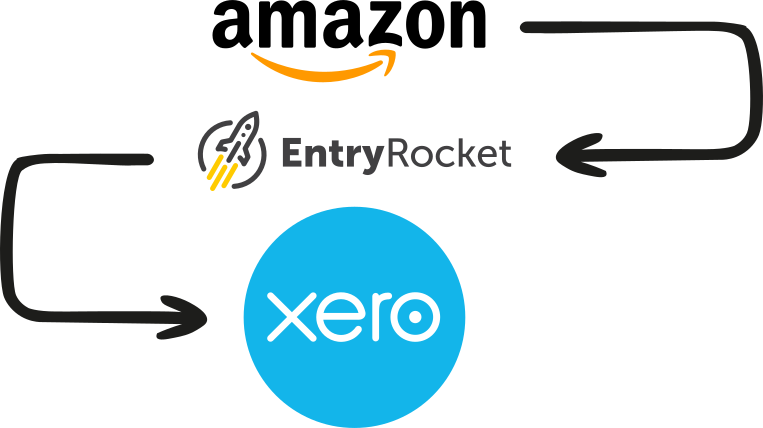






Amazon's settlement reports are the most complex financial exports in e-commerce
Amazon doesn't integrate with Xero directly. Every settlement has to find its way into your books some other way, and that's where most sellers get stuck.
The settlement report bundles product sales, FBA fees, shipping credits, referral fees, reimbursements, refunds, adjustments, and marketplace facilitator tax across potentially thousands of individual lines. Making sense of it, let alone getting it into Xero correctly, is a significant accounting task.
Many sellers end up doing a version of the same manual process: download the CSV, open it in Excel, try to separate the categories, and manually enter the summary into Xero. It takes hours and leaves room for error every settlement period.
What's in an Amazon settlement report
Your reader maps all of this to the right accounts in Xero.
Everything from Amazon into Xero
Every reader is built around your exact settlement format and your Xero chart of accounts. Depending on your workflow, EntryRocket can create:
Sales invoices
From settlement product sales, mapped per line item or summarized by settlement period.
FBA fee expenses
Fulfilment, storage, long-term storage, and other Amazon fees posted to the right expense accounts.
Refunds & credit notes
From settlement refund lines, correctly matched and posted in Xero.
Payments received
Matched to your settlement payout amounts for bank reconciliation.
Bank transactions
Your reader can create individual invoices per sale matched to a batch deposit, or a single summary invoice per settlement period with fees as negative lines. Either way, your bank feed reconciles cleanly.
Marketplace facilitator tax
Correctly separated from revenue totals and posted to the right tax account in Xero.
Import Amazon sales into Xero in five simple steps
Send the file exactly as Amazon produces it. Your reader does the rest.
Download your Amazon settlement report
Go to Seller Central → Reports → Payments → Settlement reports and download it as CSV. Send the file exactly as Amazon produces it. No reformatting needed.
Email the file to EntryRocket
Send it to your dedicated @entryrocket.com address. No login required. Just attach and send.
Your custom reader processes it
EntryRocket parses every line (product sales, fees, refunds, adjustments, tax) and maps them to the right accounts, tax codes, and document types in your Xero.
Your data appears in Xero
Sales, fees, refunds, and payments structured exactly how you need them for reconciliation.
You get a confirmation email
A summary of what was imported, what Xero returned, and anything that needs attention.
What about A2X?
A2X is the best-known tool for Amazon-to-Xero reconciliation, and it's a strong product. Here's where the comparison is worth thinking through.
A2X
Posts summarized journal entries
Settlement summaries rather than individual transactions. Clean for most sellers; less granular if you need transaction-level detail in Xero.
Pricing is per channel
Costs stack as you add Amazon, Shopify, eBay, and other channels. Multi-channel plans start from $89/month.
Amazon adds new classifications regularly
As one reviewer noted: "Amazon constantly adds new classifications so the app requires regular maintenance. You can't set it and forget it."
EntryRocket
Built around your exact requirements
Your reader maps your Amazon export to your Xero chart of accounts and tax codes, not a generic Amazon template.
Works from your raw settlement export
No live API connection. Download the file. Email it. You control what goes into Xero and when.
We handle classification changes for you
If Amazon changes something that affects your reader, email us and we fix it. Not something you manage yourself.
Common Amazon scenarios we handle
Regular settlement imports
Download each settlement report. Email it, and it lands in Xero correctly mapped. Works for FBA, FBM, and combined sellers.
UK and EU VAT sellers
Marketplace facilitator tax, VAT on FBA fees, and cross-border transactions handled correctly in your Xero VAT configuration.
Multi-marketplace sellers
Selling on Amazon UK, DE, FR, and US? Each marketplace settlement can be mapped separately into the right Xero accounts and currencies.
Historical backfill
Setting up Xero mid-year, or catching up on past settlements? Export each report. Email them in sequence, and your Xero history is complete.
Why Amazon sellers choose EntryRocket
Raw exports
No reformatting
Send the file Amazon produces. Your reader knows how to parse every line, every classification.
100%
Tailored to you
Your reader is configured around your Amazon settlement structure and your Xero chart of accounts.
0
Logins required
Download the settlement. Email it. That's the entire workflow.
Xero-certified
Official Xero App Partner. Our integration has been reviewed and approved by Xero's own team.
Always on
Send settlement reports as soon as Amazon produces them. Processed immediately, any time.
Engineers on support
When Amazon changes a classification that affects your reader, email us and we fix it. Not something you manage yourself.
Loved by businesses worldwide
"The EntryRocket team works tirelessly with you till your data looks like you want it to look. Hours of manual work on a weekly basis is done in seconds!!"
"The process was manual and very time consuming averaging about 10-12 man hours to get the job done. ... The whole process now takes us less than 10 minutes."
Frequently asked questions
About importing Amazon settlements into Xero with EntryRocket.
View all FAQs →Does EntryRocket connect directly to Amazon Seller Central?
No. EntryRocket works from your exported settlement reports, not a live API connection to Seller Central. You download the report, email it, and it processes from there.
Can it handle FBA and FBM orders from the same settlement?
Yes. Your reader can split FBA and FBM transactions into separate Xero accounts or document types if needed.
Does it handle marketplace facilitator tax correctly?
Yes. MFT lines are identified in the settlement and posted to the correct Xero tax account, separate from your revenue.
What about Amazon Europe (VAT) settlements?
Yes. UK and EU settlement reports include VAT data. Your reader maps these correctly into your Xero VAT configuration.
How long does setup take?
Most readers are ready within 2-3 business days. Amazon settlements are complex, so we take the time to get every mapping right before you go live.
What does it cost?
See our pricing page for current plans. All plans include a 30-day money-back guarantee.
We also integrate with Xero
Import from any platform, any file format. We build a custom reader for your exact setup.
Start importing Amazon sales into Xero automatically
Send us your Amazon sales and we'll show you exactly how it would work for your store. No commitment needed.